SEO Guide
2026/09/09
What does good content look like? Let customers finish reading and know how to choose next
Replace generic product introductions with specific answers, using clear text, images, and next-step prompts to help customers determine if a product is right for them.
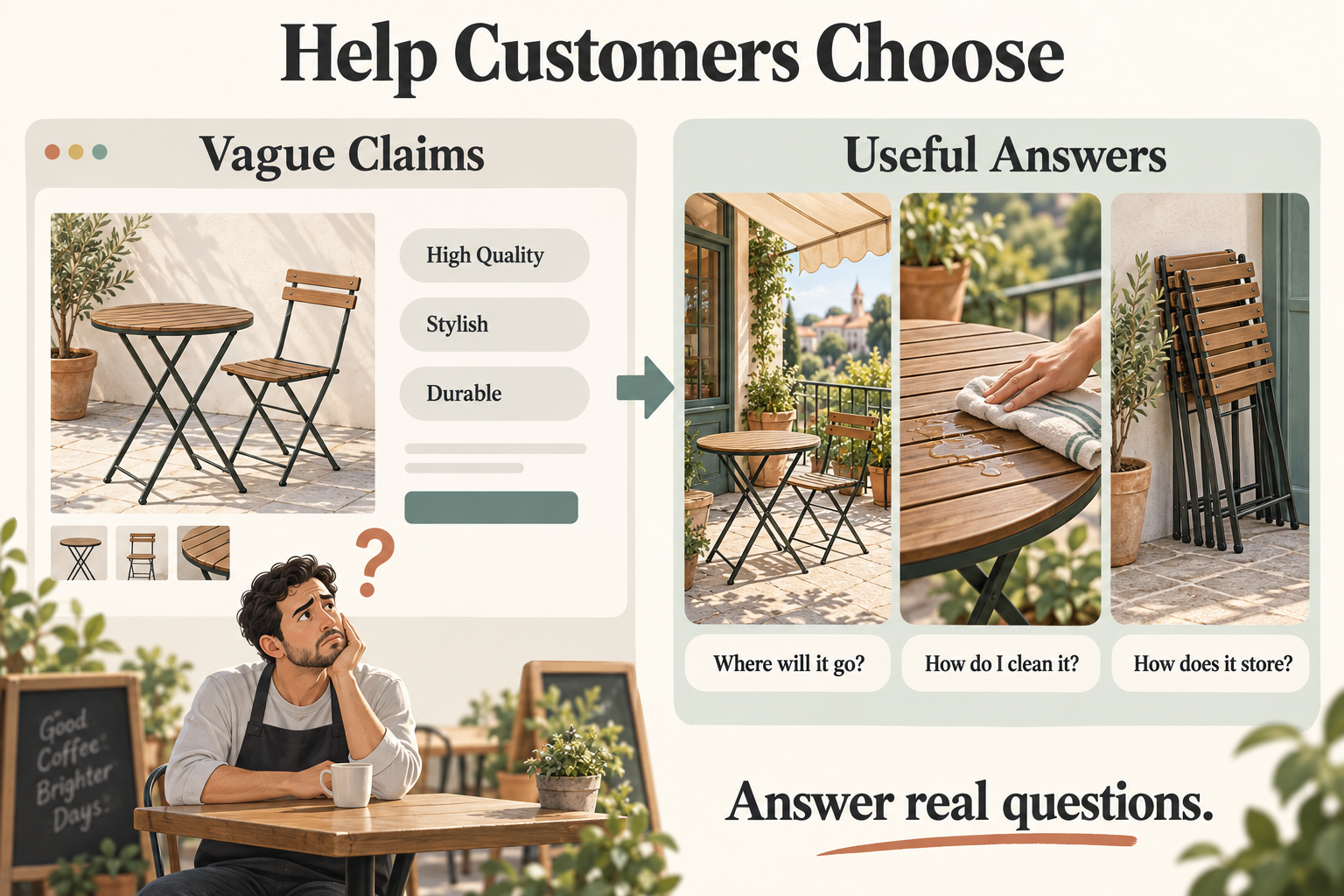
Website operators often face a difficult problem: they write plenty of product descriptions, but after reading them, customers still don't know whether to buy or how to choose.
The problem may lie in: we have written clearly what we want to say, but we haven't answered what customers want to know most.
Google emphasizes in the "SEO Starter Guide" that content should be easy to read, unique, kept up to date, and useful and reliable for readers. For business websites, we can apply these suggestions to one goal: help customers make judgments.
Source: Google "SEO Starter Guide"
Google "SEO Starter Guide"
Below is an example using a merchant selling outdoor tables and chairs.
The same product introduction can make customers feel completely different after reading
Assume a customer is preparing to purchase tables and chairs for an outdoor cafe. What he cares about most is likely whether they can withstand rain, how to clean them, and whether they are easy to store after closing.
If the page only has this introduction:
High-quality outdoor tables and chairs, creating a comfortable space
We use premium materials, the products are beautiful and durable, and suitable for various scenarios. Factory direct, please consult.
After saying this, the customer might still ask: "So, is it suitable for my shop?"
Change the writing style, and the page can start helping customers make judgments:
For choosing tables and chairs for an outdoor cafe, confirm these three things first
Where to place them? Terraces with awnings and completely open locations have different usage conditions. Before purchasing, you should confirm the applicable conditions of the table and chair materials, surface treatment, and cushions.
How to clean every day? How should coffee stains, oil stains, and rain be handled? The product page should provide specific cleaning methods.
Where to put them after closing? If they need to be brought inside every day, check the weight of a single chair, whether they can be stacked, and the footprint after storage.
The above is an example of writing style; actual product capabilities should be based on information verified by the merchant.
Make "very good" specific so customers have a basis
"Sturdy and durable" is a comment. Material descriptions, close-up photos of connection parts, applicable conditions, and relevant test results are what can help customers understand this sentence.
You can check your product page:
Common phrases on the page → Specific information that can be added
Size is suitable, widely applicable → Size diagrams, placement examples, space to reserve
Easy to clean → Daily cleaning steps, cleaning products that cannot be used
Reliable quality → Material and craftsmanship descriptions, verifiable test data
Perfect service → Delivery arrangements, warranty scope, how to handle issues after they occur
You don't need to write every item in great length. Say clearly whatever customers need to make a decision.
You should also write down usage limitations. For example, cushions that need to be stored in a sheltered place should be clearly reminded. Only when customers know these conditions in advance can they judge whether the product is suitable for them.
Images should help customers understand clearly
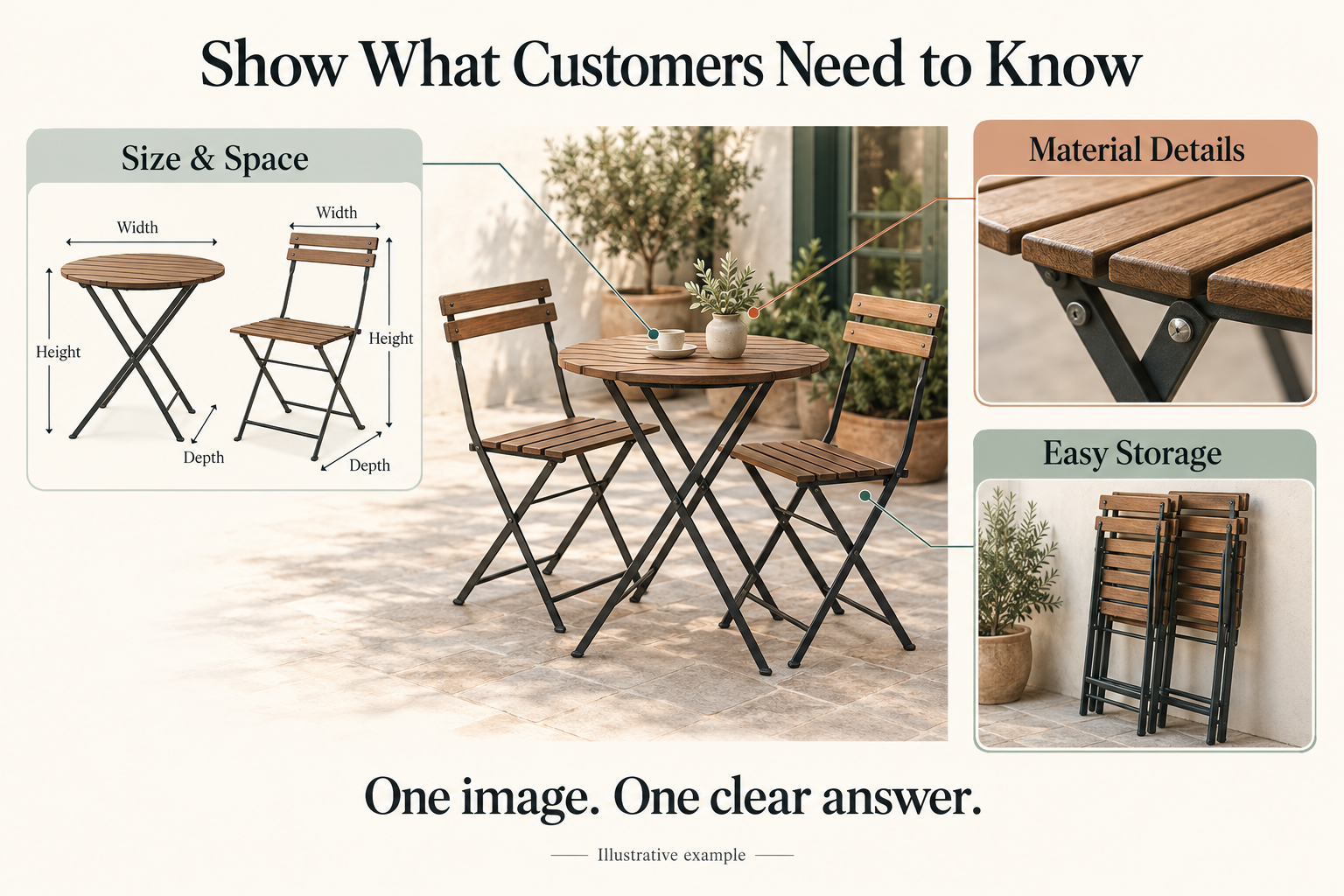
A beautiful terrace photo can show the atmosphere. But when customers are preparing to purchase, they may also need to see:
- Size diagrams: to judge if their venue can fit them.
- Close-up details: to see the tabletop, chair legs, and connection points clearly.
- Storage illustrations: to understand what the stacked tables and chairs look like.
Google suggests using clear images and placing them near relevant text to help readers and search engines understand the content the images express.
Source: Google "SEO Starter Guide" "Add images to your site and optimize them"
Google "SEO Starter Guide"
So, when talking about size, put the size diagram; when talking about storage, put the storage diagram. Readers don't need to look back and forth, and the text is easier to understand.
After reading the page, customers should know the next step
After reading the introduction, customers may already be able to judge if it is suitable, or they may still lack some information.
At this point, you can give a clear next step:
Not sure how many sets the venue can hold?
When consulting, please provide the length and width of the venue, whether it is completely open, and the expected number of seats, to facilitate further communication on model selection.
Such prompts are more specific than a simple "please consult," and customers also know what to prepare.
Now you can pick an important product page and ask yourself:
Did this page answer the customer's most concerned question? Is there a picture or an example that can explain the place where he says "I don't quite understand"?
nStart from this page, replace generic introductions with specific answers, and your website will be better able to help customers choose.