SEO Guide
2026/09/09
Why isn't my website showing up in Google search after going live?
Just because a website can open doesn't mean it can be found in Google search. First, distinguish between discovery, crawling, indexing, and ranking, then check the access and indexing status of important pages.
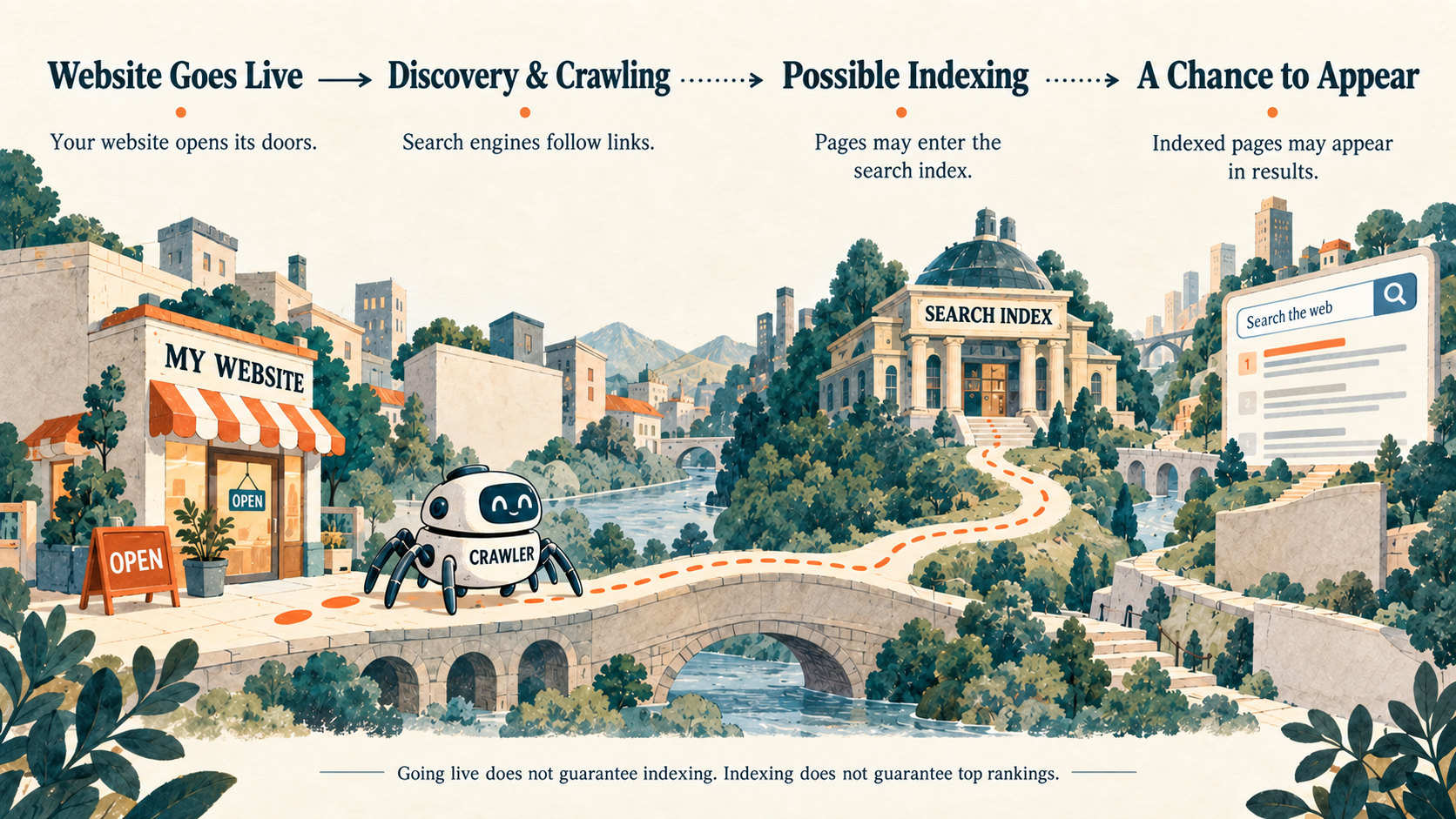
The website is already online, and entering the URL works normally, but when searching in Google, you can't find it.
At this point, operators often get anxious: Is the website not done well? Is something missing in the settings?
Don't rush to rebuild the website. Being able to open a website is a different thing from being able to find it in Google search.
After going live, Google still needs to discover you
You can imagine the internet as a constantly expanding city. Your website has just opened for business, and Google still needs to find this new store, understand what is inside, and decide whether to put it in its own database.
The general process is:
Website goes live → Google discovers the webpage → Visits and understands content → May be indexed → Has a chance to appear in search results
"Indexing" can be understood as Google incorporating the webpage into its own search database.
This process is not a guarantee of automatic passage. Going live does not mean the webpage will definitely be indexed; being indexed does not mean it will rank at the top when searching for a product keyword.
Therefore, "not found" may occur at different stages, and it is necessary to distinguish them first.
Google usually finds new webpages by following links
Google uses automated programs to continuously browse the internet. These programs discover other webpages by following links on webpages.
For example, an industry introduction links to your company website; when Google browses that introduction, it has the opportunity to discover your website. After entering the website, it can also continue to look for content through navigation, product categories, and links between pages.
For operators, you can first check a very specific question:
Starting from the homepage, can you find important product pages through normal clicking?
If a certain page can only be opened by entering a complete URL, and there is no entry point in the website pointing to it, Google's chance of discovering it may be affected.
You can also provide a "sitemap". It is a list of important webpage addresses that helps search engines discover content. Some website building systems automatically generate this list.
However, a sitemap is not a guarantee of indexing. Submitting the list does not mean that every page in it will enter the search results.
First check: Has Google indexed your website?
There is a method suitable for a preliminary check: enter the following in the Google search box:
site:yourwebsite.com
For example:
site:example.com
Just replace example.com with your own domain.
If your website pages appear, it means Google has already indexed at least part of the content. Next, you need to distinguish: are you "completely not indexed", or "already indexed, but not easily found when searching for product keywords"?
However, this search method can only be used for preliminary viewing and cannot be used as a complete indexing list; if you don't see results, don't immediately conclude that the entire website has not been indexed.
To check a specific page, you can use Google Search Console. This is a website search management tool provided by Google, and its "URL Inspection" feature can help you understand the indexing status of that page, as well as whether Google can access it.
Why can't I find it immediately after going live?
Google needs time to discover and process webpages.
Google's "SEO Starter Guide" mentions that the time it takes for website changes to reflect on the Google side is not fixed: some may take a few hours, others may take months. This range is not a promise of indexing time for new websites.
In addition to time, you also need to pay attention to two situations.
First type: You can see it, but Google may not be able to see it normally.
For example, important content requires login to access, or important resources that make up the page are blocked from access. Browsing it yourself normally does not prove that what Google sees is also a complete page.
Second type: The page is set not to appear in search results.
During website development, search engine indexing may be temporarily blocked. After the official launch, if such settings are still retained, you need to check if they meet current business needs.
These issues should be judged based on the check results of specific pages. Relying solely on "I searched and didn't find it" is not enough to determine the cause.
First clarify which step is stuck, then decide what to do
When you find that the website cannot be searched, you can check in this order:
- Do a preliminary search first. Use
site:domainto see if any pages have appeared. - Check important pages next. Check the status of the homepage or main product pages in Search Console.
- Verify access and indexing settings. Confirm that important content can be accessed and has not been mistakenly set to prohibit indexing.
- Allow time for discovery and processing. Continue to observe after fixing the problem, and do not repeatedly change the website just because it didn't appear the next day.
Going live is the first step of starting a business. Clarifying whether Google has discovered it, whether it can be accessed, and whether it has been indexed allows you to know what to check next, and also avoids misjudging "temporarily not found" as "the entire website needs to be rebuilt".
Source: Google "SEO Starter Guide"